Delivery VanFree UK Delivery on orders over £75Delivery Van
How Sixprint works

Professional print, with the print-room knowledge built in.

Create online or upload finished artwork. Sixprint helps you prepare it, check the details that matter, and keep every design saved and ready to order again.

Built for artists & photographers Every design checked before print You approve, always
The idea behind it

Good printing starts long before the press.

Professional results begin with good preparation. So we have built practical print-room knowledge straight into Sixprint, guiding the decisions that matter while leaving every creative choice with you.

You do not have to remember every technical detail. The right guidance turns up at the point it is useful, from image resolution and bleed through to likely colour changes and final approval.

“The software does not make the creative decisions for you. It helps you make them with better information.”

A production system built for artists, not just another upload form.

From artwork to finished product

Four steps, and you stay in control.

Work the way that suits you. Build a design online, upload a finished print-ready file, or do a little of both.

1

Create or upload

Start from an image in your library, build a design online, or upload artwork you have prepared in Photoshop, Affinity or InDesign.

What this means for you

One system for everyone. A first-timer and a seasoned designer work the same way, each at their own pace.

2

Prepare it properly

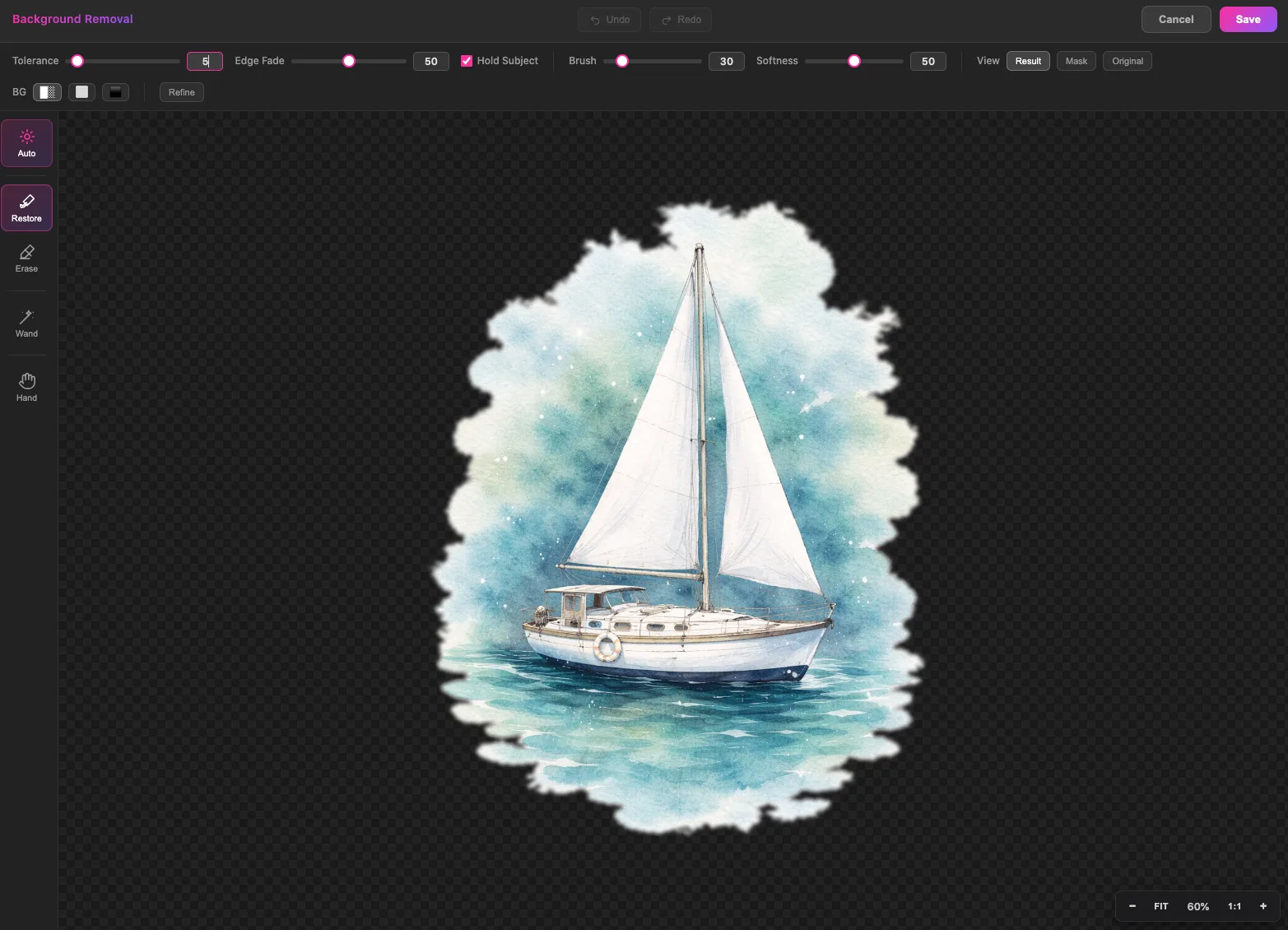
Crop, straighten, adjust colour or lift a background without leaving Sixprint. Your original is always kept safe, so nothing is ever done to it that you cannot undo.

What this means for you

Make print-ready changes without buying extra software or rebuilding your artwork somewhere else.

3

Check and approve

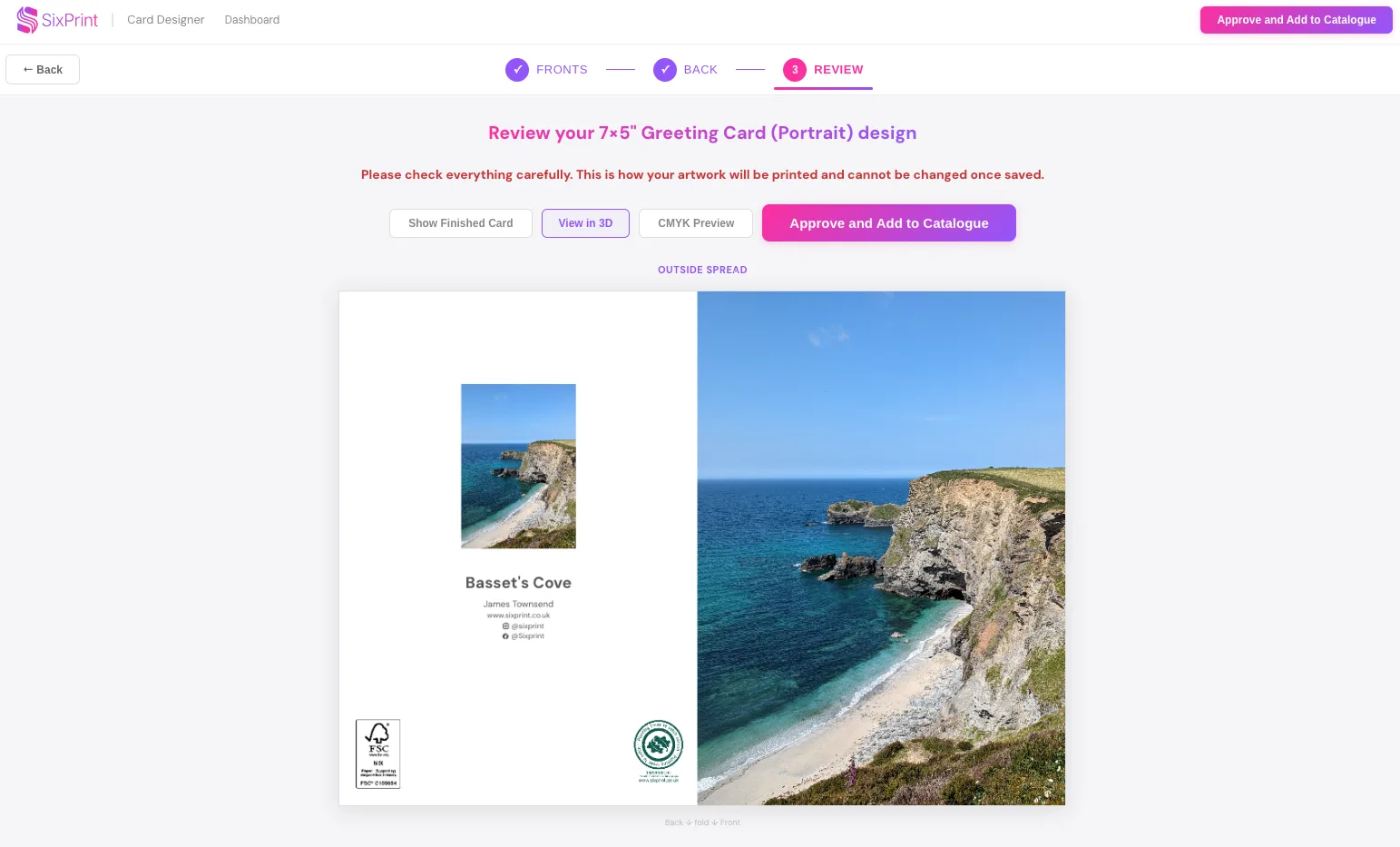
Review the effective resolution at your chosen size, along with bleed, safe areas, folds, and a careful preview of how colours may change on paper.

What this means for you

You can approve your order with confidence, knowing the important details have already been checked. Nothing goes to press until you are happy with it.

4

Save and reorder

Approve the design, choose your paper and quantity, and it is saved to your catalogue ready for next time.

What this means for you

Your growing range stays organised and ready, instead of being rebuilt from scattered files every order.

The heart of it

Everything you make lives in your catalogue.

Every design you create or approve is saved in one place. Order it today, reorder it in a couple of clicks next month, and build a whole range over time without ever starting from scratch.

  • Reorder in a couple of clicksYour approved designs are ready to print again whenever you need them.
  • Your whole range, togetherCards, prints and postcards, organised in one place rather than scattered across folders.
  • Nothing to rebuildCome back next season and your products are exactly as you left them.
The Sixprint dashboard showing a customer's saved design catalogue, with quick actions to view and reorder the catalogue, design online, upload completed templates and open the image library.
What the system helps with

Practical help, where it earns its place.

These tools exist because they solve real production problems, not to make the platform look clever.

Build a reusable catalogue

Save approved designs so repeat orders and a growing range take far less work to manage.

DPI

Know when an image is big enough

See the effective print resolution at the size you have chosen, with clear guidance before you approve.

Prepare artwork in one place

Crop, straighten, adjust and lift backgrounds while your original artwork stays untouched.

See likely colour changes

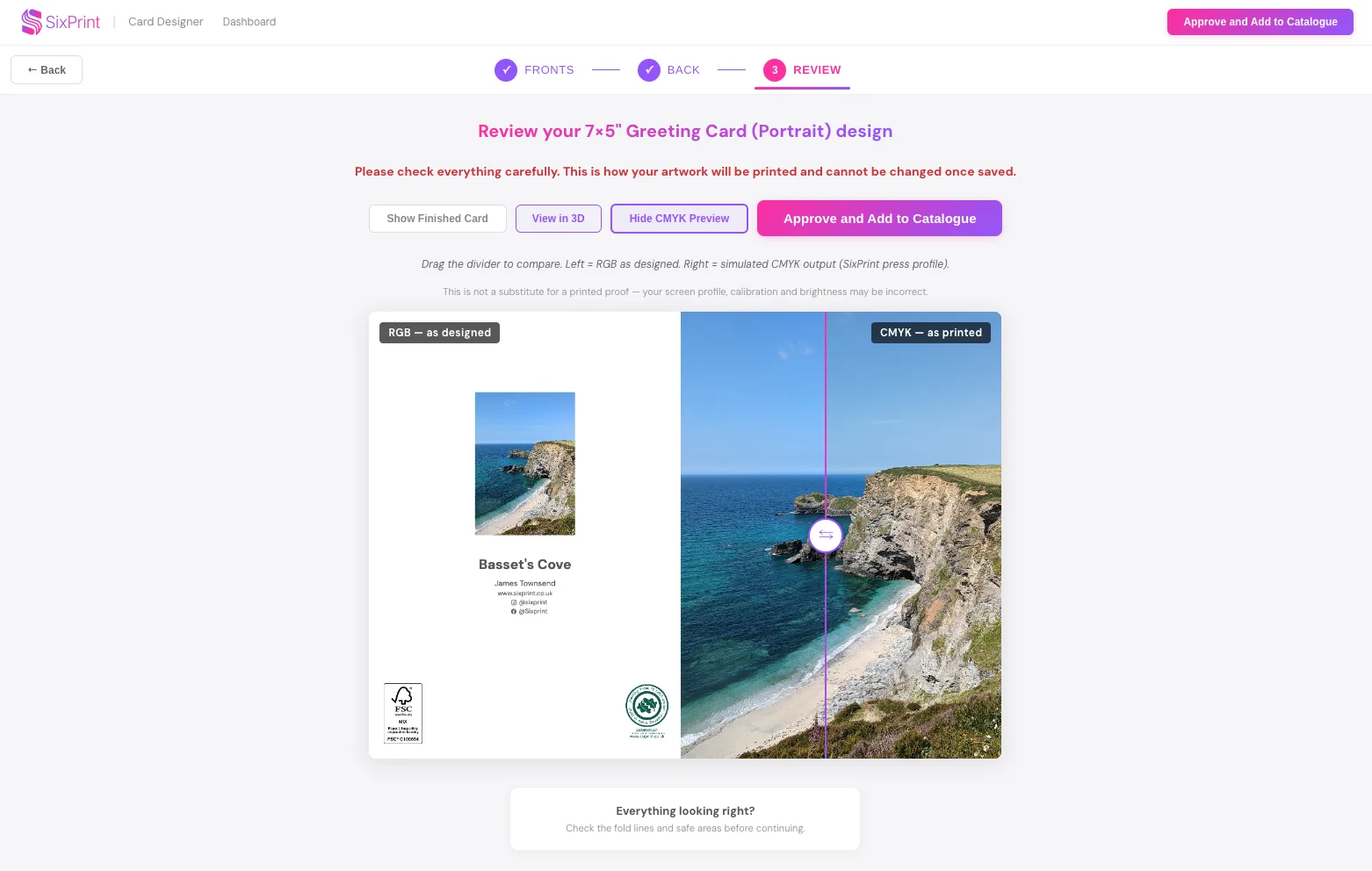
A careful print preview shows where bright colours may soften or shift, so the result is no surprise.

Check your print-ready files

Upload your own PDF and review the detected size, page setup, orientation, bleed and fold position.

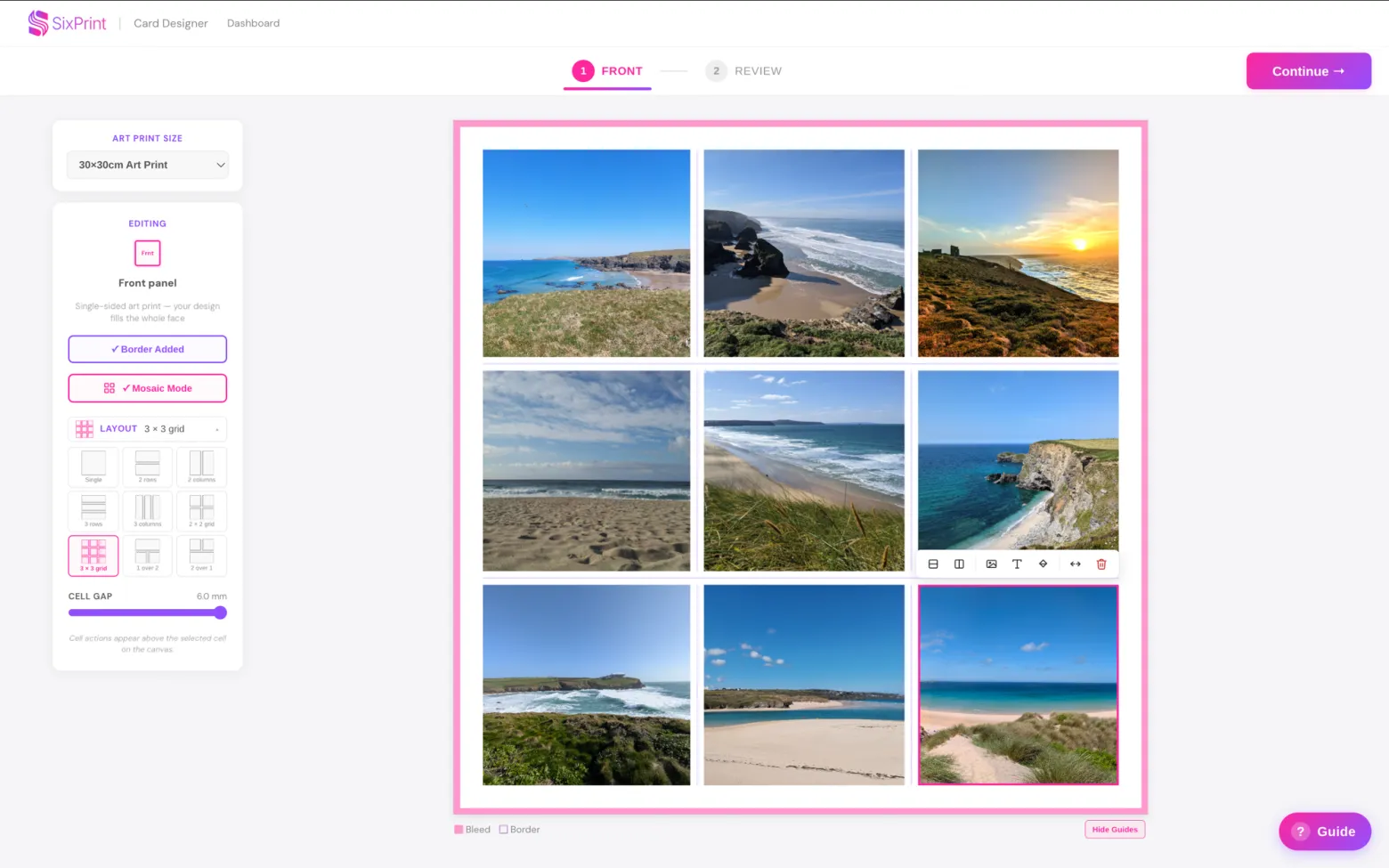
Combine images with Mosaic

Arrange several images, colours and text into one considered layout for cards and coordinated ranges.

Honest about colour

A screen is bright. Paper is not.

Have you ever had a print come back looking different from how it appeared on screen? Two things are at play: a screen glows with its own light while paper only reflects it, and screens show colour as RGB light while print is made from CMYK inks, so the most vivid on-screen colours can soften on paper. Before you order, Sixprint shows you where colours are most likely to shift, so you know what to expect from the finished print.

It is a careful guide, not a guaranteed proof. Your monitor, the paper and the press all play a part, and for colour-critical work a printed proof is still the best confirmation.

A screen-versus-print colour comparison: the same artwork on screen beside a conservative print preview, showing how vivid colours can soften on paper.

Ready to make something you are proud to sell?

Order a sample pack to feel the quality, or explore what we print.